Ian,
I have been giving this some thought.
Having read the above I tend to agree with Alex in that you have to do this for yourself. If you farm this out it will not give the same results as you may get, for a variety of reasons. Everybody for example has their own method of agitation both in frequency and method, water quality differs across the country which may affect development, equipment differs and 20 degrees on your thermometer may be slightly different to 20 degrees on mine or whoever does the job for you. What happens is that we adjust our times and procedures to suit our method of working and equipment.
As Alex says a densitometer can be used to read negatives but you can also create the curve specific to you and your methods. As you scan your negatives and read them on your monitor you can take readings that would enable you to create the curve. I believe in PhotoShop there is a tab that shows the histogram of the scan but under the Information tab shows the percentage figure for the K (Black) value. it is there in the copy of Elements 12 that I have.
In a book called Way Beyond Monochrome by Ralph Lambrecht and Chris Woodhouse edition 2 they give typical values for the various Zones of the Zone System including the percentage values for a monitor. This can be found online at
http://www.waybeyondmonochrome.com/WBM2/Library_files/TemplatesEd2.pdf second page.
My thought is that you expose a number of sheets (or find a method of creating the exposures on a smaller number of sheets but it gets complicated) in line with the Zone System principals i.e. each sheet (or part) receives one more stop than the previous one. You need to be able to identify which zone each sheet is exposed for. Develop all the sheets together so they get common development. Next scan each sheet with exactly the same scan parameters. Once done you can open each scan on your monitor and read the K value as a percentage. You may need to adjust your scan parameters to show the full range. These values can then be plotted to show a reverse curve but one that would tie in to the values shown in the document above. I am not sure if you would need to invert the scan to be a positive to match the values. Easy enough to do on a digital system.
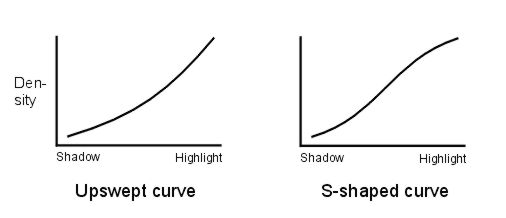
I have not tried this but have plotted the values given and they look like a curve I would expect from a print read with a reflection densitometer. In order to get the curve you need to assign a log exposure value but that is easy. Zone 0 is 0, Zone I is 0.3, Zone II is 0.6 and so on adding 0.3 for each stop.
I tried to insert the curve I got but it is not in an allowed format. However you could plot it for yourself from the above values as a "standard".
It may or may not work for you but perhaps worth a try. However as Alex said I can see nothing wrong with the work you are producing now.